Coming soon to Google Play

Your SMS inbox, sorted on your phone.

Moborg Messages Manager is a complete SMS and MMS app for Android. It files every message under Personal, Transactions, OTPs, Offers or Spam, so texts from people stop getting buried under bank alerts and promotions. Your messages never leave your phone to be sorted.

For Android 8.0 and newer. In English and Hindi.

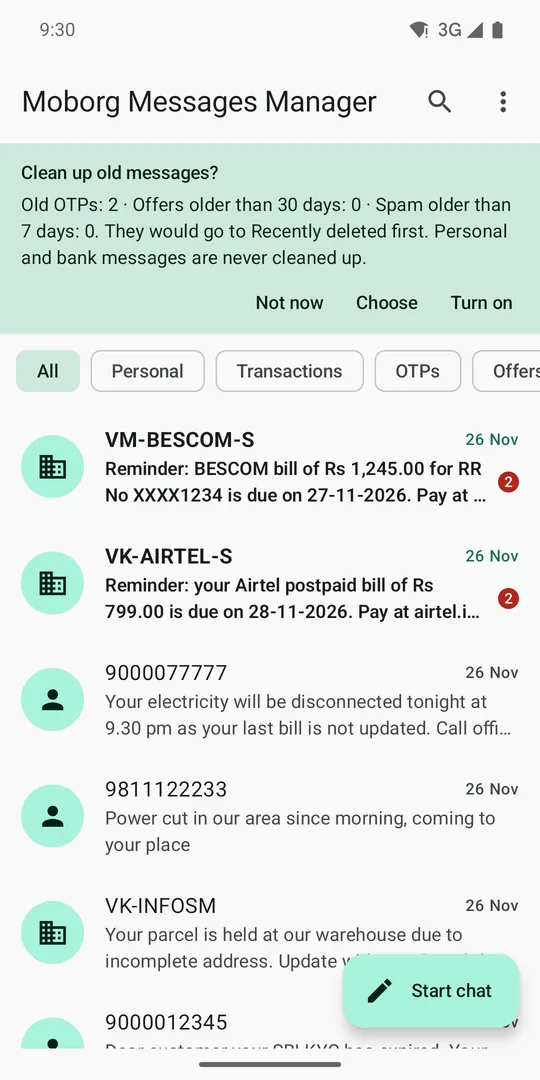
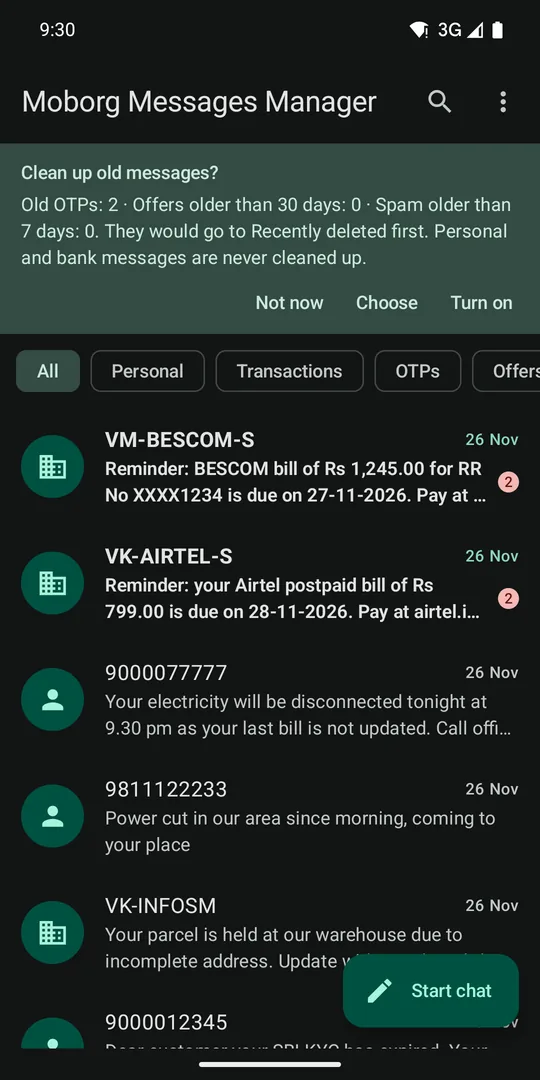
The inbox: a cleanup suggestion, category filters (All, Personal, Transactions, OTPs, Offers) and a list of conversations, including bill reminders and texts from phone numbers.
  • Sorted on your phone
  • No ads, no analytics, no account
  • Encrypted backups you control
  • Built for Indian SMS

Everything sorted. Nothing missed.

Personal and bank messages are never cleaned up automatically. When the app isn't sure about a message, it shows it and notifies you, just to be safe.

Categories

Five categories instead of one long list

  • Personal, Transactions, OTPs, Offers and Spam, worked out as each message arrives.
  • Reads Indian sender IDs (like VM-HDFCBK), Hinglish and Hindi.
  • Each category has its own notification settings: offers and spam can stay silent.
  • Disagree with a category? Move a sender, and the app remembers.
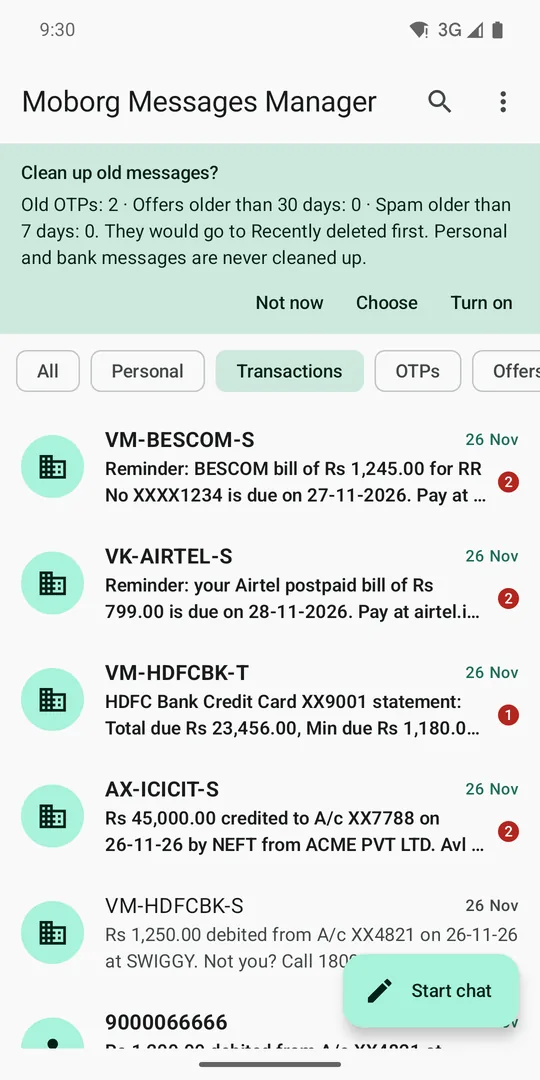
The Transactions filter: bill reminders, a card statement and bank debit and credit alerts.

Safety

Warnings when a message looks like a scam

  • Flags links that imitate a bank, shop or government website, unknown senders writing as a bank, and wording common in scams: KYC, power cuts, parcels, prizes, jobs and loans.
  • Says why it's suspicious, in plain words.
  • Asks before opening a link in a suspicious message.
  • Report to 1909 or on the government's Chakshu portal in a couple of taps.
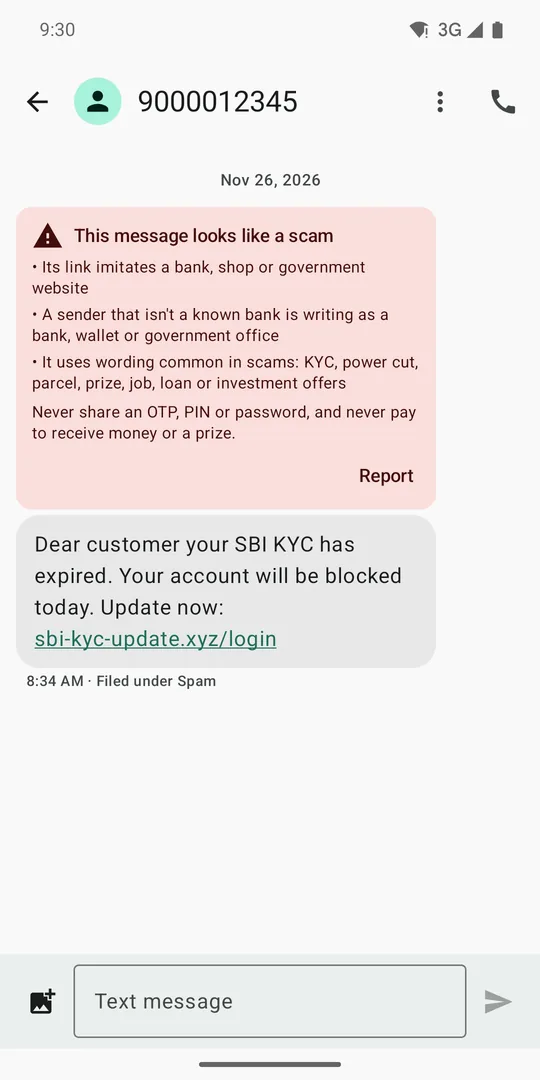
A message about an expired SBI KYC with a fake link, under a red warning: this message looks like a scam, with the reasons and a Report button.

Money

A passbook and bill reminders, from messages you already get

  • See what you spent and received each month, by account, from your bank and card alerts.
  • Bills, EMIs and card payments are picked up from their messages, with a reminder before they're due.
  • All worked out on your phone. Your spending is never sent anywhere.
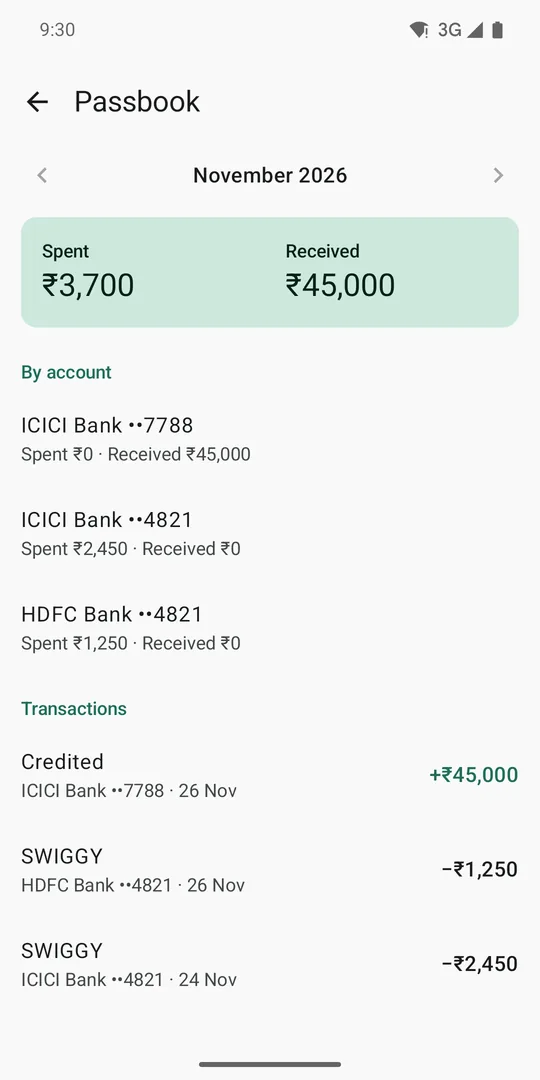
The passbook for November: spent and received totals, a summary per bank account and a list of transactions.
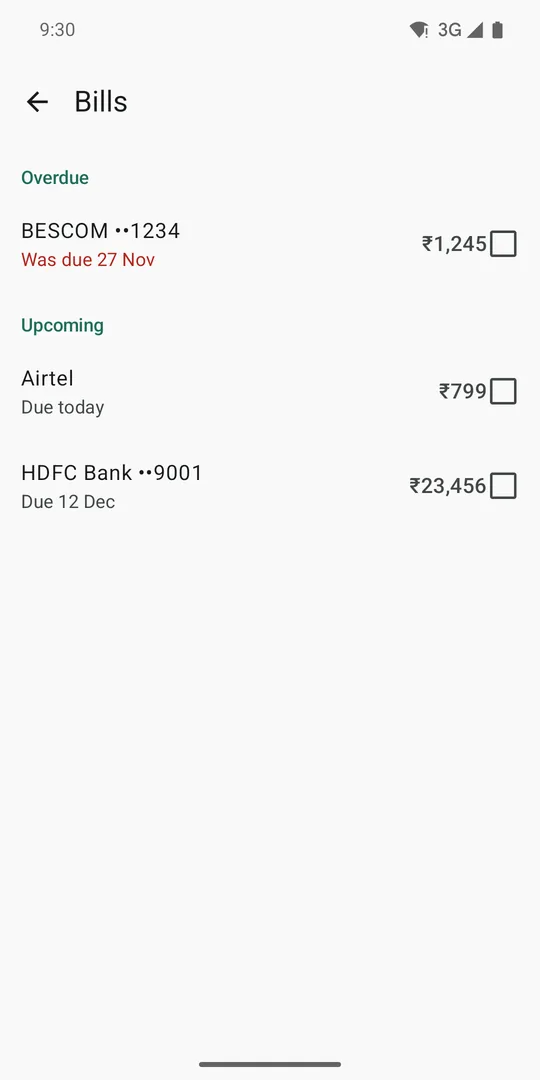
Bills: one overdue electricity bill and two upcoming bills with amounts and due dates.

Easy to read

Make it comfortable for your eyes

  • Light or dark theme, or the same as your phone, and a true black option for night use.
  • High contrast: plain backgrounds and the strongest text colours.
  • Larger message text, up to 150%, on top of your phone's font size.
  • An easy-to-read font, where letters like I, l and 1 look different, and bold text.
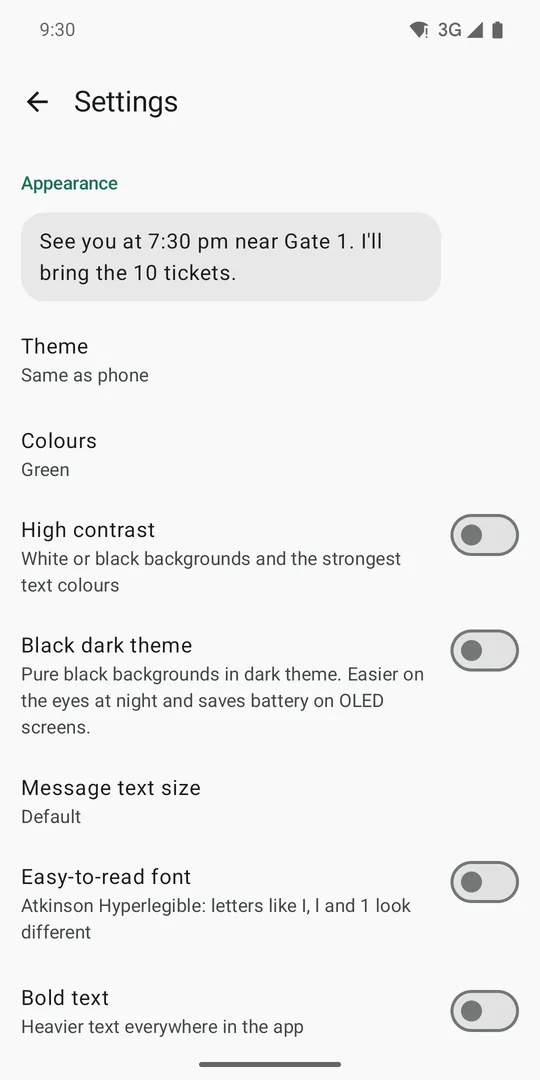
Appearance settings: theme, colours, high contrast, black dark theme, message text size, easy-to-read font and bold text.
The inbox in the dark theme.

OTPs at a glance

Copy a one-time code straight from the notification, without opening the app.

Automatic cleanup

Old OTPs, offers and spam can be removed for you. They wait 7 days in Recently deleted first. Personal and bank messages are never cleaned up.

A full messaging app

MMS, group messages, search, blocking, delivery reports and dual SIM.

Leave whenever you like

Export your messages to a file that other SMS apps can import, or as plain JSON.

Your messages stay yours

  • Sorting, scam warnings and the passbook all run on your phone. No message is ever sent anywhere to be read or sorted.
  • No ads, no analytics, no crash reporting and no account.
  • Backups are encrypted on your phone with a passphrase only you know, and go to your own Google Drive or a file you choose.
  • Apart from backups you turn on and MMS (which goes through your mobile operator), the app's only connection is a weekly download of sorting updates, signed and checked on your phone.

Read the privacy policy: it lists every network connection the app makes.

Questions

Why does it need to be my default SMS app?

Android only lets the default SMS app receive, send and organise your text messages. You can switch back at any time in your phone's settings, and your messages stay where they are.

Does it support RCS or chat features?

No. Google doesn't make RCS available to other apps, so Moborg Messages Manager handles SMS and MMS.

Will it work on my phone?

It runs on Android 8.0 and newer, including dual-SIM phones, and is designed to stay quick on budget phones. It isn't available for iPhone, because Apple doesn't allow other SMS apps.

Can it get a category wrong?

Sometimes. When it's unsure, it treats the message as important: it shows it and notifies you. You can move a sender to another category, and it will be sorted that way from then on.

What happens to my messages if I uninstall it?

Your messages stay in your phone's message store, ready for your next SMS app. What the app worked out about them, such as categories and the passbook, is deleted with it, and so are messages waiting in Recently deleted.

When can I get it?

It's being tested with a small group on Google Play first, and will be available to everyone after that.